
Seminole County 24 Hour Arrests
The Seminole County Sheriff's Office Daily Booking Report list is the official same-day source. SCSO calls it a weekday publication. Each file covers bookings since midnight on the prior business day plus the overnight period, and it posts at about 8 a.m. Monday's report sweeps in the whole weekend. That wording matters. The related email subscription leans on a looser "last 24 hours" label, but the public report itself is not a rolling feed refreshed through the day.
Every dated PDF summarizes bookings at John E. Polk Correctional Facility, known locally as JEPCF. People on it may have been arrested by SCSO, Sanford Police, Altamonte Springs Police, Oviedo Police, or another agency that brought the person to the county jail. An arresting-agency field names who made the arrest. The report is only a snapshot, though. Bond or release can happen after the file was produced, so a listed name does not mean the person is still in custody.
The official report-list capture shows how SCSO presents dated booking files.
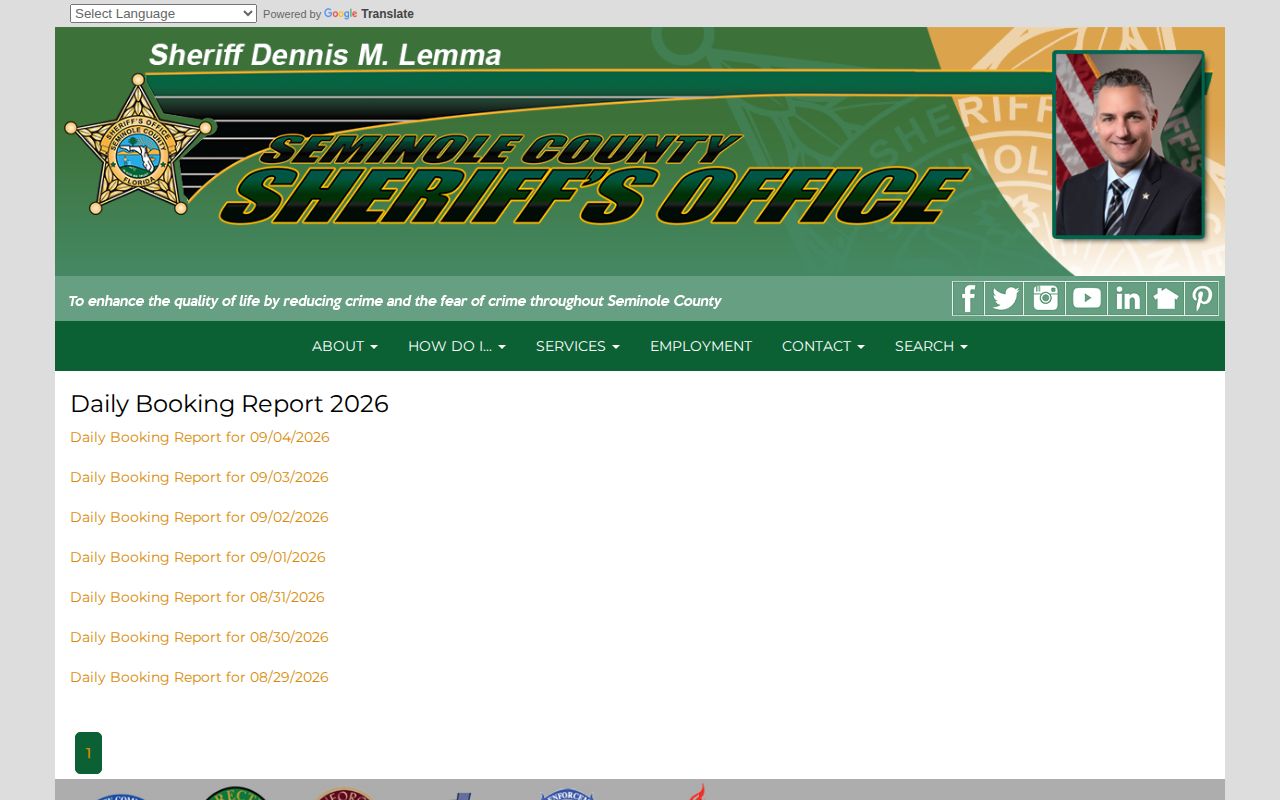
The date labels show which report is newest and flag combined weekend coverage.
Check Seminole Arrests Today
Open the newest dated report first. Then check the current roster to see whether the person is still at JEPCF. The two sources answer different questions. The PDF tells you who entered booking during its stated window; the roster tells you who is in county custody when the portal updates. One gap is not proof of anything. A missing name in either source alone cannot establish that no Seminole County arrest happened.
- Open the official Daily Booking Report list and choose the newest date that covers the period of interest.
- Read the PDF heading and print time before searching the name. A report can span two dates.
- Match the full name with date of birth, booking number, incident number, and arresting agency where shown.
- Open SCSO's Custody Portal and search the last name, adding a first name or booking number to narrow results.
- If neither source resolves the question, call SCSO Records at 407-665-6690 or submit a focused public-records request.
City arrests work differently. Request the incident or arrest report straight from the city police department. SCSO says municipal agencies release their own arrest reports. The county booking entry and the city report are related records. Each stands on its own. For county-wide lookup paths, the Seminole County recent arrests hub lays them out. The live-roster half of the comparison comes from the official Seminole County Custody Portal.
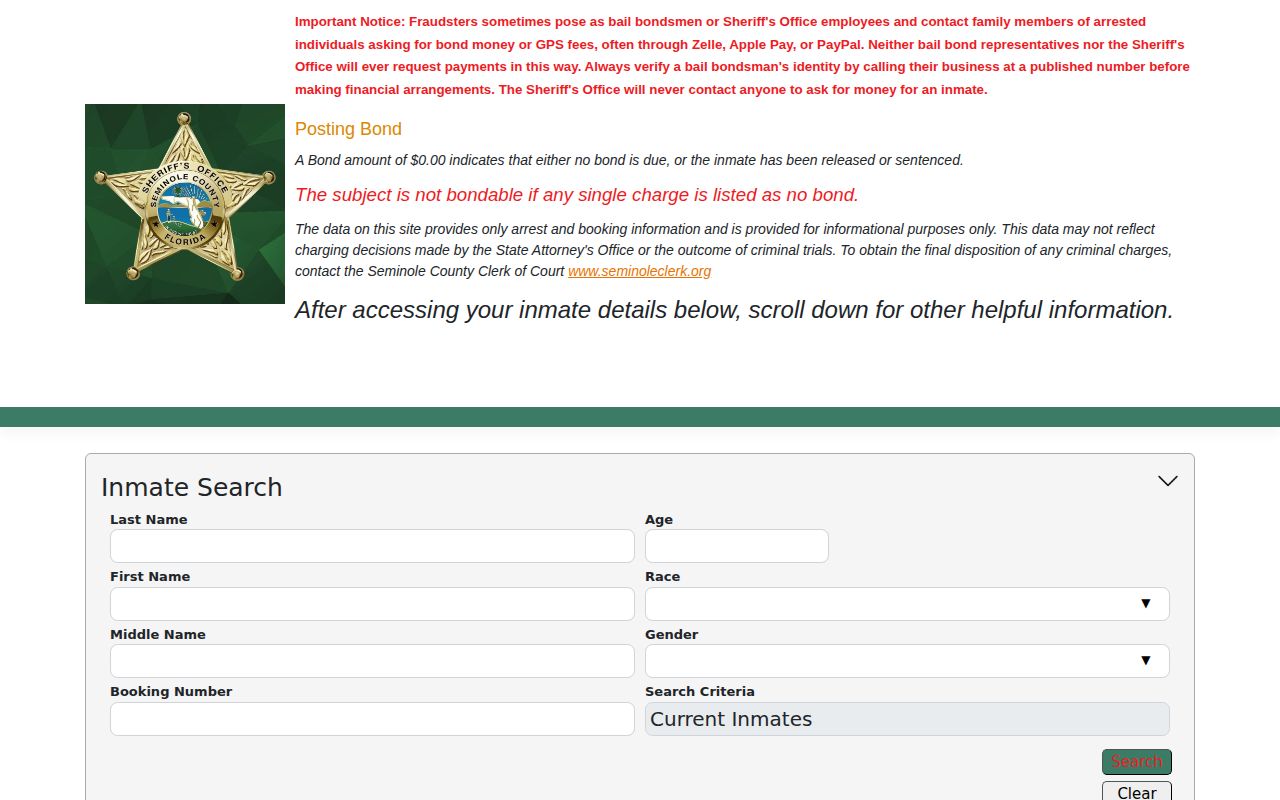
Search by name or booking number there. Those fields catch a recent intake that has not yet reached the next dated report. Note: Use several identifiers, since two people can share a name and spellings or initials can differ between records.
Seminole Arrest Report Fields
The public PDF carries more detail than a simple name list. Its fields record intake facts and the offenses logged at booking. What they do not show is the prosecutor's final filing decision or the court's disposition. The disposition means how the case ends. Mugshots are not guaranteed inside the daily file. SCSO handles current-inmate photos through its roster. Requests for former-inmate photos go through the Public Information Unit instead.
| Field | What it shows |
|---|---|
| Name and adult marker | The identity recorded at intake and whether the public report marks the person as an adult. |
| Race, sex, DOB, descriptors | Identity details used to separate people with similar names. |
| Booking date and number | When JEPCF recorded the intake and the local booking identifier. |
| Incident number | The agency's reference that may help with a later records request. |
| Arresting agency | The sheriff, city police, or other agency tied to the arrest. |
| Count, description, statute | The alleged charge information entered at booking, not a conviction. |
| Arrest date | The reported arrest date, which may differ from the PDF print date. |
Each field tells part of the story. A booking date may trail the actual time of arrest. An agency label can flag a municipal arrest in Seminole County even while JEPCF holds the person in custody. Statute and charge descriptions come straight from the booking record and may shift as the case moves forward.
When Seminole Arrests Post
Most apparent gaps trace back to the SCSO timing rule. Reports go out each weekday at about 8 a.m. and cover the prior business day plus overnight. Monday absorbs the weekend. A Friday afternoon intake can sit on the current roster for days. The report catches up later. Holidays push the next business-day publication the same way.
A sample public report covered June 11 through June 12, 2026. It carried a 7:00 print time. That example shows why coverage dates and production time both matter. It promises nothing about the exact span or minute of later files. Trust the archive label and the PDF heading for each report.
For urgent entries, start with the current roster. Then call the records line. A formal request can seek a booking card, booked report, arrest affidavit, or booking photograph. When known, include the full name, date of birth, booking or incident number, arrest date, and arresting agency. State the exact item you want.
Seminole Booking Email Alerts
The sheriff's office runs an official “Inmates Booked in the Last 24 Hours” email subscription. It is the county's only booking-specific alert. SCSO lists no jail app for booking photos. It posts no separate arrest roster either. The Ring Neighbors announcement only covers general community alerts, not a reliable list of who has been booked. Treat the email as notice that a new Seminole County booking report exists. Custody can shift after a notice goes out. For release or transfer updates on one named person, a VINELink custody check does that job instead. VINE tracks status and sends notifications; it is not a photo source or a court record.
Note: Community alerts and social posts are not the official Seminole County roster or the dated booking report.
Seminole CommunityConnect Arrest Limits
A 2026 CommunityConnect announcement appears on the official SCSO site. It explains automated messages that follow a request for assistance. The service is a general notification channel. Nothing in the description says CommunityConnect posts jail bookings, booking photos, or current custody data. For same-day arrest information, turn to two places. The dated Daily Booking Report and the current Custody Portal stay the right sources in Seminole County. CommunityConnect can help someone follow an agency interaction. It is not evidence that a person entered JEPCF or left custody. Keeping that line clear matters. It stops a general alert service from standing in for the official booking email.
Missing Seminole Arrest Entries
SCSO publishes no confirmed window for how long roster entries or booking photos stay online. Three paths exist: the live roster, the dated report archive, and the former-inmate photo request. They do not overlap neatly. A released person can drop off the current portal. The dated Seminole County booking report and the agency's arrest record can still exist. Some transfer to Florida Department of Corrections after sentence. They belong in the state system, not the county roster.
Need a report past the same-day window? Use the Seminole County arrest log and its paginated archive. If the date is not online, contact SCSO Records. The office sits at 100 Eslinger Way, Sanford, FL 32773. Weekday hours run 8 a.m. to 5 p.m., excluding holidays. Ask for a fee estimate when a request may take extensive work.
A court check finishes the search. The Seminole County Clerk's criminal case search shows filing events and the final disposition after booking. No roster or report can answer that last question.
Seminole Arrests Are Accusations
An arrest starts a process in Seminole County. Booking records the person's identity, the charges listed, the arresting agency, and custody details. Prosecutors then decide what to file. A judge handles rights, counsel, probable cause, and release at first appearance. An arraignment is where a plea is entered. The disposition is the court's final outcome.
Charges can change or disappear. Bond notations trip people up too. The SCSO portal warns that a $0 bond may mean no bond, release, or sentenced status, and a single no-bond count can control the whole booking. Check custody through the roster and the outcome through the Clerk rather than reading one field as the answer.
Public Record Search
Sponsored Results